May 1, 2025 · 12 min read · RemoveTheBackground Editorial Team
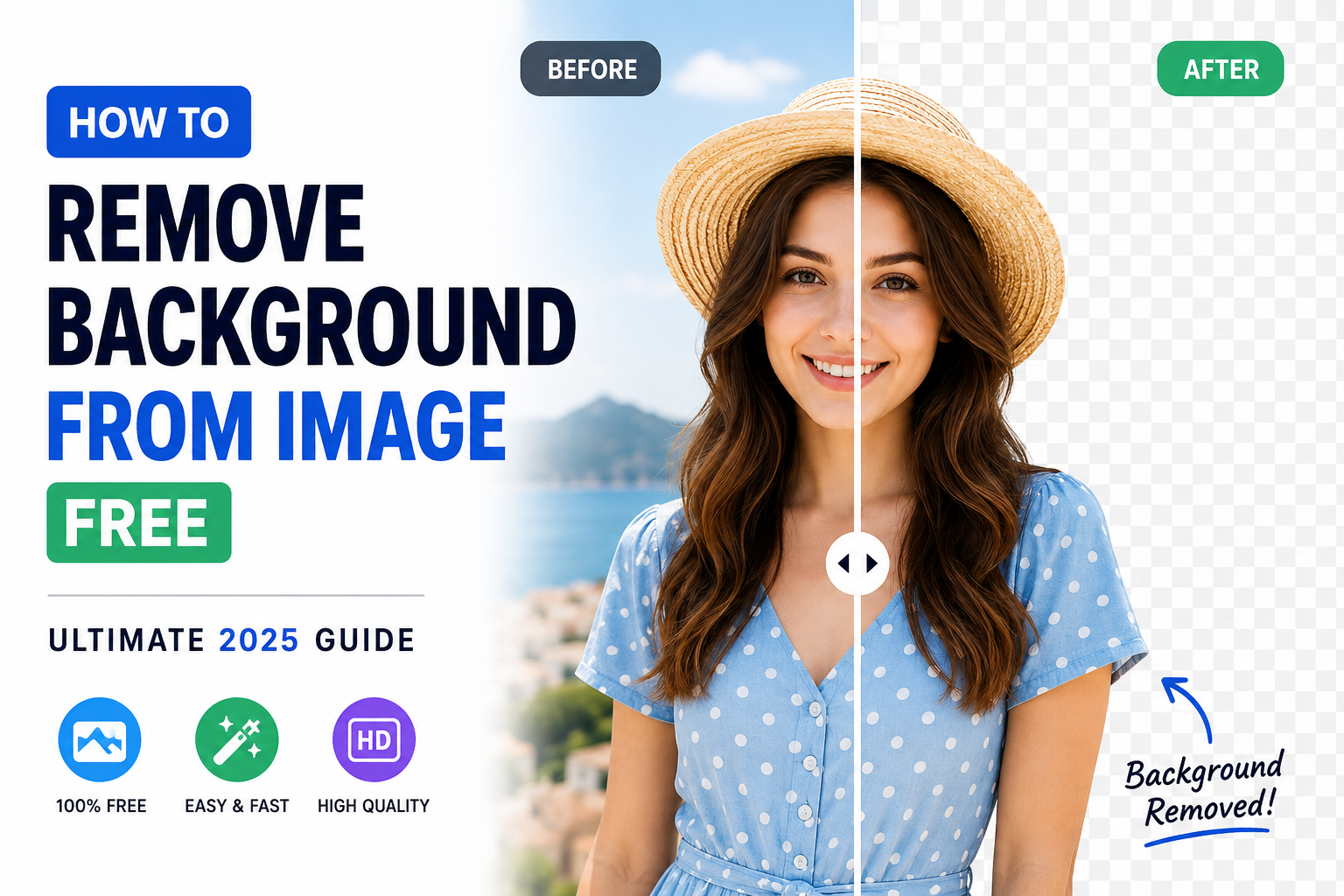
How to Remove Background from Image Free — Ultimate 2025 Guide
The complete expert guide to removing backgrounds from images for free in 2025. No Photoshop, no signup, no cost. AI tools, pro tips, and step-by-step walkthroughs.
Reviewed and updated: 2025 | Reading time: 12 minutes
Removing a background from an image was once a skill that took months to learn and cost hundreds of dollars in software. Today, AI has collapsed that barrier entirely. You can remove the background from any photo — with professional quality, full HD resolution, and a clean transparent PNG result — in under 10 seconds, completely free, with no account required.
But with dozens of tools claiming to do this, and many of them hiding their true limitations behind misleading "free" labels, the real challenge in 2025 is knowing which tool actually delivers, why they differ in quality, and how to get the best possible result from whichever one you use.
This guide covers all of it — built on the technical realities of how AI background removal actually works, what makes one tool better than another, and exactly what you need to do to get perfect results every time.
What Background Removal Actually Does (The Technical Reality)
Before you can get the best results, it helps to understand what is happening when you click "remove background."
Every modern AI background removal tool uses a class of deep learning architecture called a segmentation model — specifically, most leading tools use variants of U-Net or transformer-based architectures trained on millions of images. The model's job is to classify every pixel in your image as either "foreground" (keep) or "background" (remove).
This is called semantic segmentation, and it is significantly harder than it sounds. The model must:
- Identify what the main subject is (person, product, animal, object)
- Detect edges accurately, including sub-pixel gradients
- Handle transparency, semi-transparency, and motion blur at edges
- Deal with subjects that share colors with their backgrounds
- Preserve fine detail like hair strands, whiskers, and lace patterns
The quality gap between different background removal tools comes down to three factors: the size and quality of the training dataset, the architecture of the model, and the post-processing applied to the output mask.
This is why two tools can process the same image and deliver noticeably different results — especially at edges, and especially on difficult subjects like hair.
The Real Meaning of "Free" — What Most Tools Won't Tell You
The word "free" is used very loosely in the background removal industry. Here is what you actually get with the most common pricing models:
Free With Mandatory Account
Tools like remove.bg, Adobe Express, and Canva require account creation before you can download results. This means providing an email address, agreeing to marketing communications, and entering a sign-up flow.
Free but Low-Resolution Output
Several tools process your image for free but only let you download a small, compressed version (often 500×500px or lower) without paying.
Free With Watermark
Some tools overlay a branded watermark on free downloads, making the result unusable for professional purposes without payment.
Free With Credit Limits
Many tools give you 3–5 free removals per month before locking access or reducing quality.
Actually Free
RemoveTheBackground.co removes all of these limitations. There is no account required, no sign-up form, no email address, no resolution restriction, no watermark, no credit system, and no daily limit.
Step-by-Step: How to Remove a Background from an Image for Free
Step 1 — Prepare Your Image for Best Results
- Resolution matters: higher-resolution images give the AI more pixel data to work with at edges.
- Format selection: JPG, PNG, and WEBP are all supported. PNG is lossless.
- Pre-cropping: crop tighter to the subject when it occupies a small part of the scene.
- Lighting awareness: even, diffused lighting works best.
Step 2 — Upload to RemoveTheBackground.co
Navigate to RemoveTheBackground.co in any browser. Click to upload or drag and drop. Supported formats: JPG, JPEG, PNG, WEBP.
Step 3 — AI Processing
Processing takes 3–8 seconds for most images. Complex edges (hair, fur) may take slightly longer. No selection boxes or guidance required.
Step 4 — Review the Result
Zoom in on hair edges, fine details, and any low-contrast boundaries.
Step 5 — Download Your Transparent PNG
Click download. The file is full-resolution, watermark-free, and free to use commercially.
After Downloading: 8 Ways to Use Your Transparent Background Image
- Place it on a white background for e-commerce listings.
- Create social media graphics in Canva.
- Build YouTube thumbnails.
- Design professional email signatures.
- Create stickers and print materials.
- Add to PowerPoint and Google Slides presentations.
- Make product mockups in Placeit or Smartmockups.
- Export to video editors like CapCut, DaVinci Resolve, or Premiere Pro.
Understanding Output Quality: What "HD" Actually Means in 2025
- Standard resolution: 500–1000px on the long side.
- HD: ~1920px or higher.
- 4K: 3840px or higher.
RemoveTheBackground.co outputs your image at the same resolution as your input — no downsampling, no resolution cap, no paywall.
Difficult Image Types: Expert Tips for Challenging Subjects
Hair and Flyaways
Use single-color backgrounds with strong contrast and avoid backlighting.
Glass and Transparent Objects
Use a contrasting background; expect some background to remain visible through transparent areas.
Fur, Wool, and Textured Edges
Use well-lit, single-color backgrounds.
Products Sharing Background Colors
Add a bright blue or green paper background for maximum contrast.
Signatures on Lined Paper
Use blank white paper, scan at 600 DPI minimum, and increase contrast before uploading.
Side-by-Side: How RemoveTheBackground.co Compares to Alternatives
| Feature | RemoveTheBackground.co | remove.bg | Adobe Express | Canva |
|---|---|---|---|---|
| Completely free | Yes | Limited | Limited | Paid |
| No account required | Yes | No | No | No |
| Full HD download free | Yes | Paid | Paid | Paid |
| No watermark | Yes | Low-res only | With account | Paid |
| No daily limit | Yes | Credits | Credits | Credits |
The Privacy Consideration Most Guides Skip
Key questions to ask before uploading sensitive images:
- Are uploaded images stored on the server after processing?
- Are they used to retrain the AI model?
- Are they shared with third parties?
- Is the connection encrypted (HTTPS)?
RemoveTheBackground.co processes images solely for background removal. Your images are not stored, sold, or used for any secondary purpose.
Frequently Asked Questions
How do I remove a background from an image for free without losing quality?
Upload your full-resolution image to RemoveTheBackground.co. It returns your image at the same resolution as the original, with no quality loss.
Is RemoveTheBackground.co really free?
Yes — no sign-up, no credit card, no watermark, no resolution cap, no daily limit.
What image formats can I upload?
JPG, JPEG, PNG, and WEBP. Output is always a transparent PNG.
Can I remove backgrounds from multiple images?
Yes. There is no batch processing limit.
Does it work for removing backgrounds from logos?
Yes — one of the most common uses.
Can I use the transparent PNG for commercial purposes?
Yes, freely.
Does background removal work on mobile phones?
Yes, in any modern mobile browser on iPhone or Android.
What happens to my image after it is processed?
It is not stored, retained, used for training, or shared with third parties.
What is the difference between remove.bg and RemoveTheBackground.co?
remove.bg requires an account and limits free downloads to low resolution. RemoveTheBackground.co requires no account and provides full HD downloads completely free.
Can I remove the background from a video?
Not currently — still images only.
Summary and Key Takeaways
- Most "free" tools have real limitations hidden behind their marketing.
- AI works best on well-photographed, well-lit images with good subject-background contrast.
- RemoveTheBackground.co provides full HD transparent PNG results, free, with no account required.
- Output works in Canva, PowerPoint, e-commerce platforms, and video editors.
- Always verify what a tool does with your uploaded images.
Ready to try it? Visit RemoveTheBackground.co and upload your first image.
Written by the RemoveTheBackground.co editorial team | Background removal technology specialists since 2020 | Updated May 2025
Try it now — free, no signup
Upload an image and get a transparent PNG in seconds.
Open the background removerKeep reading
Best AI Background Remover in 2026 — Expert Tested & Ranked
Expert-tested ranking of the best AI background removers in 2026. Honest comparison of quality, speed, cost, and limitations. One is completely free — no signup needed.
How to Remove White Background from Any Image Free (2026)
Expert guide: remove the white background from images, logos & signatures — free, no Photoshop needed. 5 methods compared. Get a transparent PNG in seconds.